

Place a test call
Hear the program before it calls anyone else. Test calls are not billed and stay out of analytics.
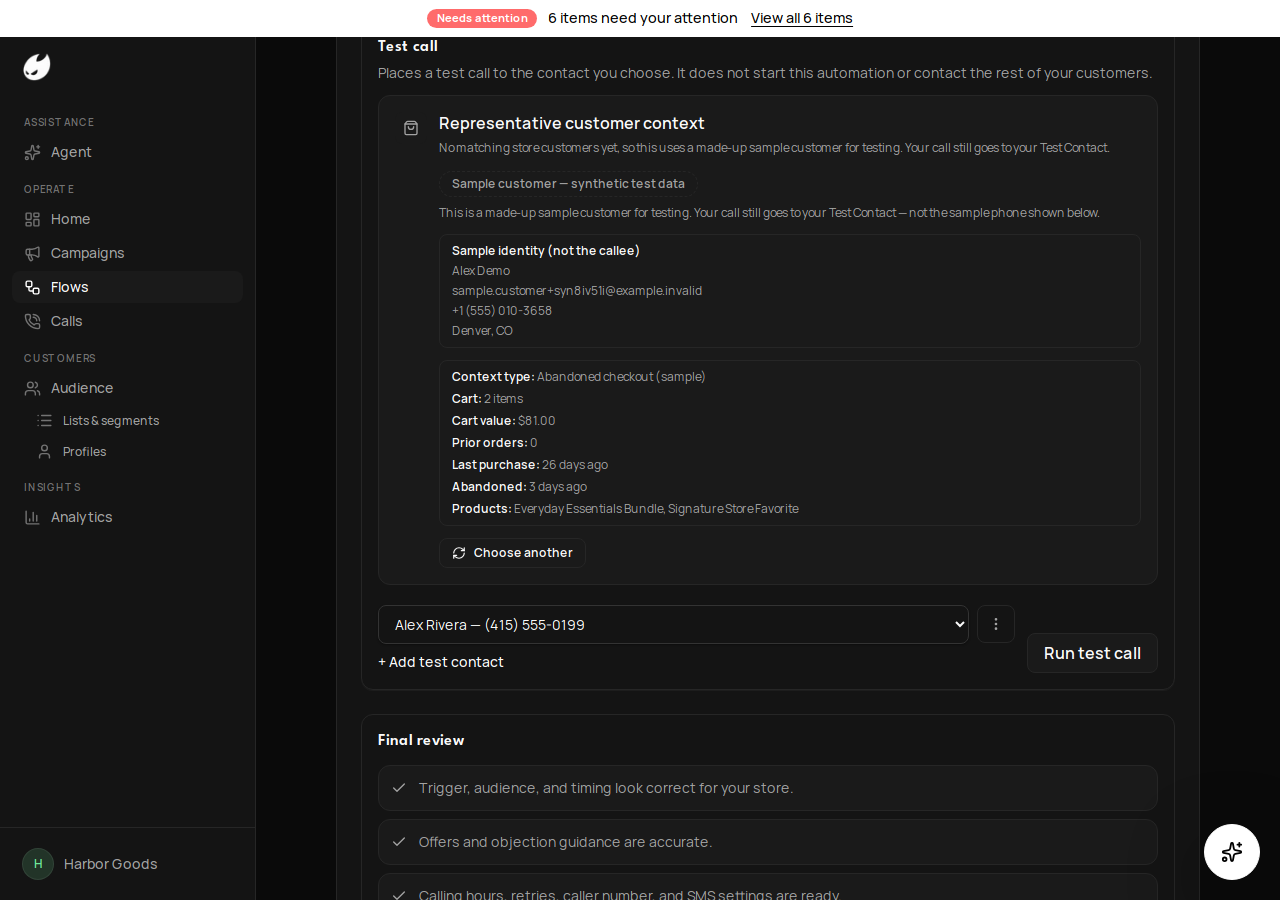
A test call rings one contact you choose. It does not turn the flow or campaign on, and it does not dial the rest of the audience.
From a flow
- 1Save the flow. The test button waits on a saved draft.
- 2Open page 3, the review page, and find Test call.
- 3Pick a contact who has a phone number. Do-not-call contacts are refused.
- 4The flow’s store has to be connected to Shopify.
- 5Place the call and listen. Cross-sell tests try to match a real purchase pattern. If nothing matches, use Randomize context. Dial Dragon will not invent a purchase.
Campaigns put the same Test call control on the last step, AI + Test + Launch.
Test calls are not billed. They are left out of Analytics. They do count when Dial Dragon rotates voices, so a voice you only use in tests still gets its share of later live calls.