

Build a campaign
Three steps: the offer and voice, the audience and hours, then a test call and the launch time.
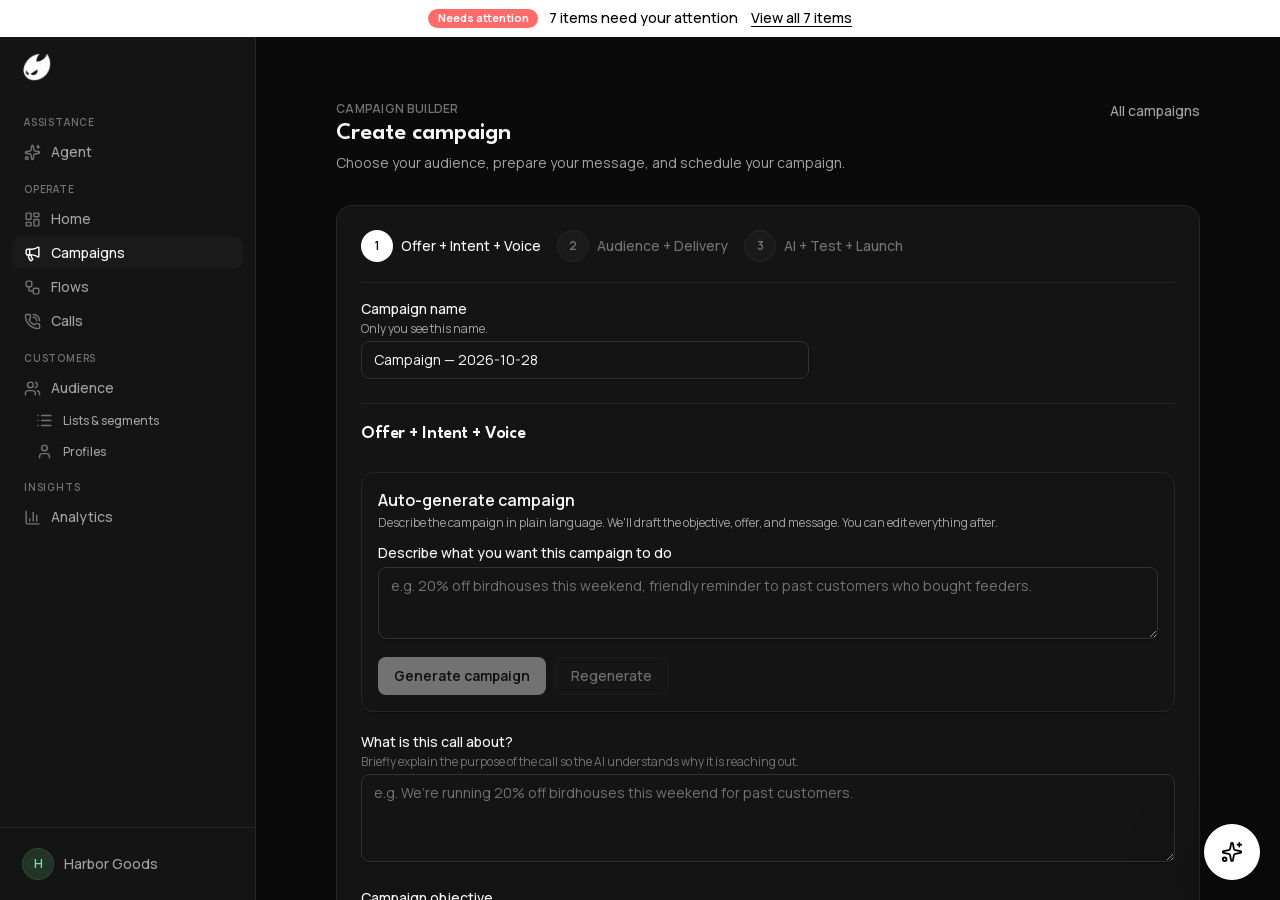
A campaign is a one-time program to an audience you choose. New campaigns start from the promo template. Open Campaigns → Create campaign.
- 1Offer + Intent + Voice. Write the objective, the opening offer if you want one, and the voice. You can pick several voices and Dial Dragon rotates them.
- 2Audience + Delivery. Choose the audience, the caller number, calling hours, how many times to try again if nobody answers, and which texts to send.
- 3AI + Test + Launch. Add talking points, place a test call, and set Launch timing if the campaign should wait.
- 4Launch. Draft and scheduled campaigns start calling once you launch and the calling window is open.
The default calling window is 9:00 a.m. to 8:00 p.m., Monday through Saturday, in the customer’s local time when Dial Dragon knows it. Otherwise it uses the campaign time zone, then the workspace time zone under Account → Workspace. Calls outside the window, or before a scheduled start, wait. They are not dropped.
Only you can launch. If you use the in-app Agent, it can draft the campaign and still waits for your confirmation before anything is saved or launched.